AI introduces two new considerations for SAST - security vulnerabilities introduced by AI-generated code, and vulnerabilities specific to AI applications.
AI-generated code has been reported to contain more than double the vulnerabilities found in human-written code. These vulnerabilities can become an issue because of the volume of code produced. Recent research** suggests that AI-generated code particularly increases the risk of certain types of vulnerabilities:
Cross-Site Scripting (XSS) - AI models frequently echo raw user input back to the browser or downstream functions without proper sanitisation.
Broken Access Control and Privilege Escalation Paths - AI assistants often create code that fails to verify user roles or tenant boundaries properly.
Flawed Error Handling - AI models prioritise making the code "work", often omitting robust exception handing, or returning success values on failure.
Secrets Exposure - AI-assisted commits leak credentials at a significantly higher rate than standard human-only contributions. Secrets exposure increases when developers paste credentials into prompts or reuse snippets from generated code.
Log Injection - Similar to XSS, this issue arises from an insufficient understanding of data sanitisation requirements by models.
On the other hand, there are also vulnerabilities unique to AI applications that also need to be considered. The most well known example is Prompt Injection, which was listed as #1 on the OWASP Top 10 for LLM Applications 2026.
So, with AI in the mix, there are new and evolving challenges for SAST. Customising SAST rules is one way to meet these challenges, as this can improve detection quality by tuning out the noise and reducing missed vulnerabilities. In this post, I will be writing and testing a custom Semgrep rule.
Writing a Semgrep Rule to Detect Secrets in System Prompts
Because this is my first attempt at writing a custom Semgrep rule, I decided to target the low-hanging fruit and look for hardcoded secrets in LLM system prompts. This covers LLM01 - Prompt Injection, LLM02 - Sensitive Information Disclosure and LLM08 - Hidden Context Exposure from the OWASP Top 10.
The Semgrep Rule Editor is useful for writing rules as it can identify syntax issues that need to be fixed. You can also verify the performance of your rule through tests.
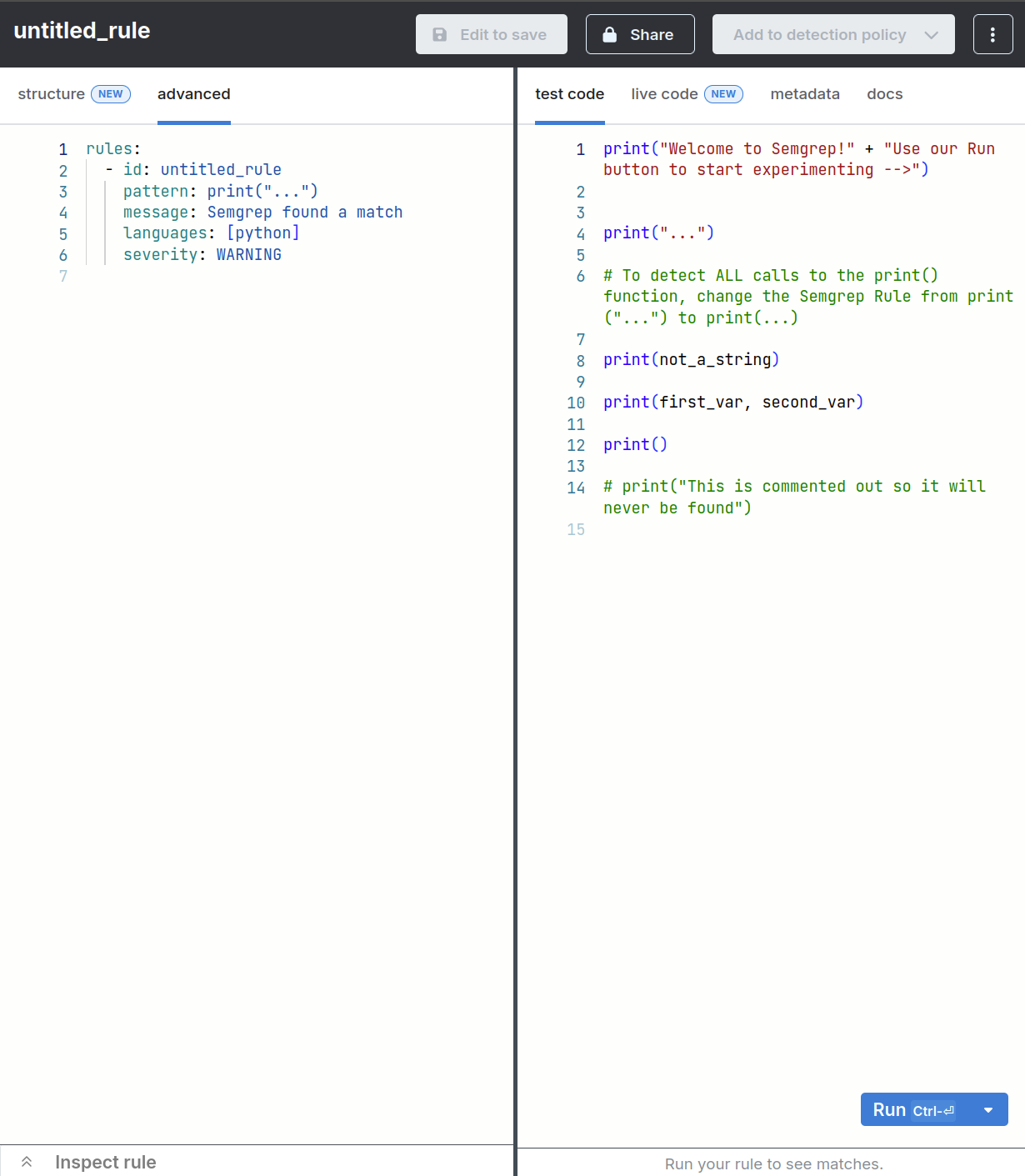
Below is the YAML file for my rule, which looks for secrets in the system prompt in Python applications.
  rules:
      - id: python-llm-system-prompt-secret
    patterns:
      - pattern: "{..., 'role': 'system', 'content': $CONTENT, ...}"
      - metavariable-regex:
          metavariable: $CONTENT
          regex: '(?i)(api[_-]?key|secret|password|token)[''"][ \t]*[:=][ \t]*[''"][a-zA-Z0-9_\-\.]{8,}'
    message: Potential secret hardcoded into system prompt.
    languages: [python]
    severity: HIGH
Explanation of the rule
In pattern, the Ellipsis operators (...) should tell Semgrep to look for any instances of 'role': 'system' and 'content': $CONTENT regardless of what comes before and after.
LLM chat completions use roles to separate instructions. So 'role': 'system' filters out user inputs and ensures Semgrep only inspects code intended to act as system prompts for the AI model.
As defined in Semgrep documentation, Metavariables are "an abstraction to match code when you don’t know the value or contents ahead of time".
So, Semgrep should capture whatever value is assigned to the content key and save it into $CONTENT. It should then inspect that content for anything matching the regular expression specified in the rule.
Breakdown of the regular expression
(?i) tells the regex engine to ignore capitalisation. This ensures it catches variations like api_key, API-KEY, ApiKey, or Secret.
(api[_-]?key|secret|password|token) looks for common identifier words for credentials. api[_-]?key matches apikey, api_key, or api-key thanks to the optional hyphen or underscore [_-]?).
[''"] matches a single or double quote (note: the doubled quotes in the YAML string handle Semgrep's internal escaping rules for literal quotes).
[ \t]* matches zero or more spaces ( ) or tabs (\t) between the key name and the assignment operator.
[:=] matches either a colon (:) or an equals sign (=), which are typically used to assign values in dictionaries or JSON-like structures.
[ \t]* matches any extra spaces or tabs after the colon or equals sign before the value starts.
[''"] matches the opening single or double quote of the secret value itself.
[a-zA-Z0-9_\-\.]{8,} matches the actual character sequence of the secret. It looks for alphanumeric characters, underscores, hyphens, or periods ([a-zA-Z0-9_\-\.]), and specifies that the sequence must be at least 8 characters long {8,} to filter out short placeholders or generic words.
Testing the Rule
I created a test file with three vulnerable code snippets to validate whether the rule works. Below is the test file python-llm-system-prompt-secret.py.
#OpenAI-style API key in system prompt
import openai

response = openai.chat.completions.create(
    model="gpt-4",
    messages=[
        {
            "role": "system",
            "content": "You are a helpful assistant. Use this backup admin api_key = 'sk-proj-faketestkey123456789' if needed.",
        },
        {"role": "user", "content": "Hello!"},
    ],
)

#Database password in system prompt
import requests

payload = {
    "model": "claude-3-sonnet",
    "messages": [
        {
            "role": "system",
            "content": 'System initialization instructions. Internal database password = "SuperSecretPassword123!" for debugging.',
        },
        {"role": "user", "content": "Run diagnostics."},
    ],
}

#Token assignment in system prompt
from langchain.schema import SystemMessage, HumanMessage

messages = [
    SystemMessage(
        content="You have access to the staging server. auth_token = 'ghp_mocktokenabcdef1234567890abcdef' for API calls."
    ),
    HumanMessage(content="Summarize the logs."),
]
I ran my rule against the test code in the Semgrep Editor. Unfortunately, the rule had 0 matches.
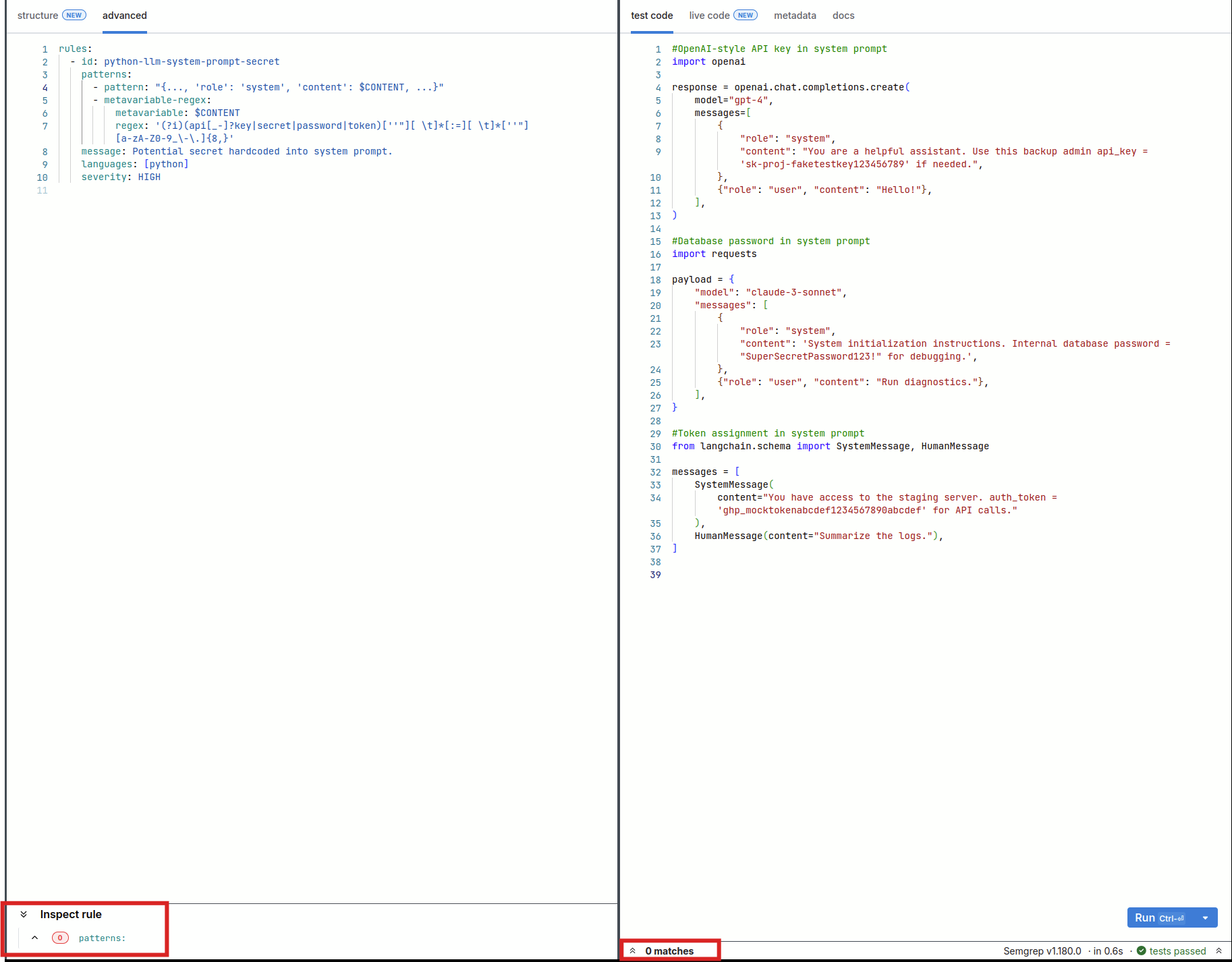
A possible explanation is that wrapping the dictionary pattern in double quotes "{ ... }" turned it into a string literal search rather than parsing it as a structural Python dictionary. So I modified the rule by swapping around the double and single quotes, as shown below:
  rules:
    - id: python-llm-system-prompt-secret
      patterns:
      - pattern: "{..., 'role': 'system', 'content': $CONTENT, ...}"
      - metavariable-regex:
          metavariable: $CONTENT
          regex: '(?i)(api[_-]?key|secret|password|token)[''"][ \t]*[:=][ \t]*[''"][a-zA-Z0-9_\-\.]{8,}'
      message: Potential secret hardcoded into system prompt.
      languages: [python]
      severity: HIGH
Unfortunately, this iteration of the rule didn't work either, so I tried a different approach. Below is the third iteration of the rule:
  rules:
    - id: python-llm-system-prompt-secret
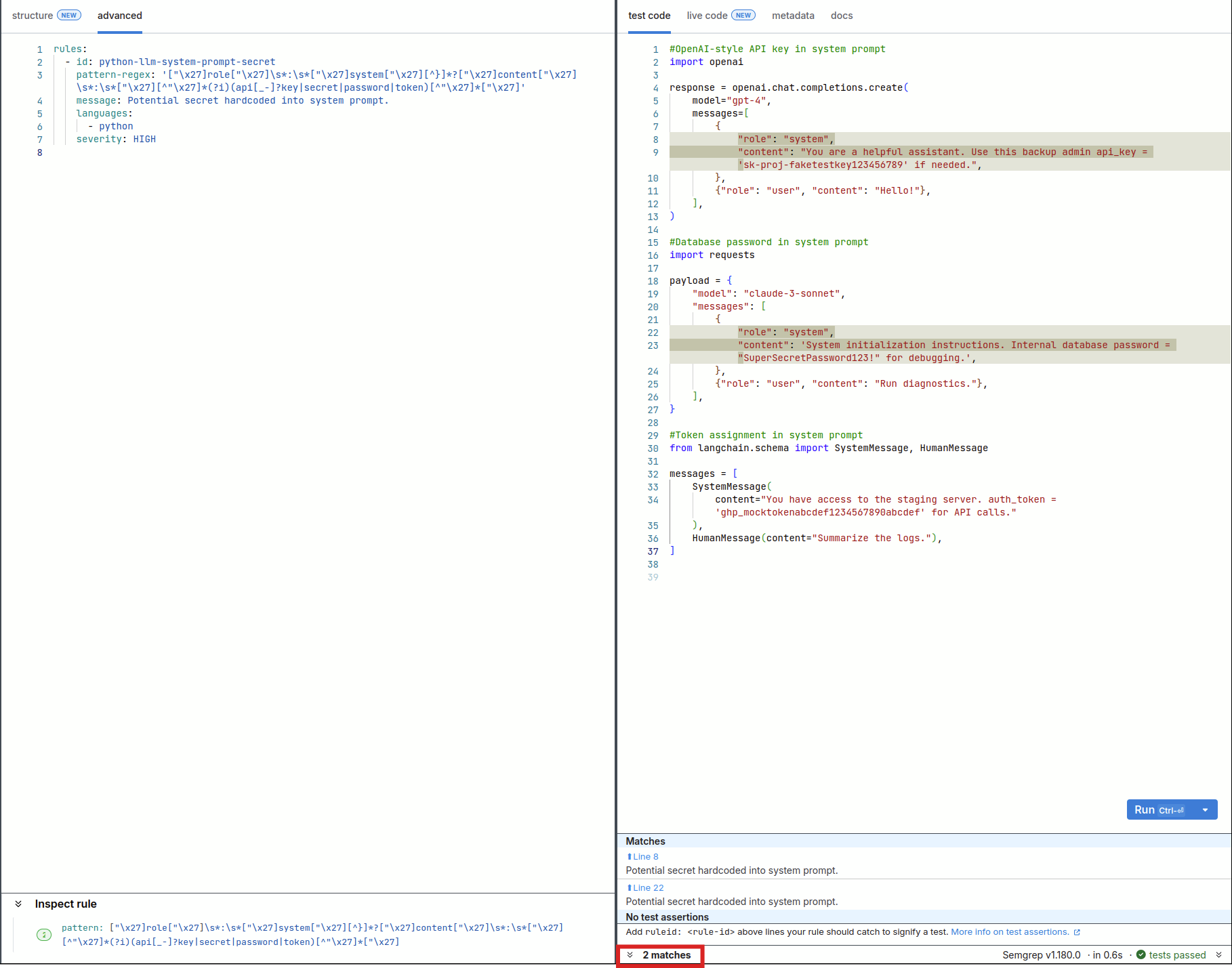
      pattern-regex: '["\x27]role["\x27]\s*:\s*["\x27]system["\x27][^}]*?["\x27]content["\x27]\s*:\s*["\x27][^"\x27]*(?i)(api[_-]?key|secret|password|token)[''"][ \t]*[:=][ \t]*[''"][a-zA-Z0-9_\-\.]{8,}'
      message: Potential secret hardcoded into system prompt.
      languages: [python]
      severity: HIGH
This time, I used pattern-regex to find Python dictionaries where a system prompt ("role": "system") contains a hardcoded sensitive keyword (like password, secret, api_key, or token) inside its "content" field.
Breakdown of the regex
["\x27]role["\x27] matches the dictionary key "role" or 'role'. It accounts for both double quotes (") and single quotes (\x27).
\s*:\s* matches the colon separator between the key and value, allowing for zero or more spaces or tabs around it.
["\x27]system["\x27] matches the string value "system" or 'system', ensuring this is specifically a system prompt dictionary.
[^}]*? a non-greedy match for any characters except a closing curly brace (}). This allows the regex to safely skip over other keys that might appear between "role" and "content" (such as "model": "gpt-4").
["\x27]content["\x27]\s*:\s*["\x27] locates the "content" or 'content' key, its colon separator, and the opening quote of the content's string value.
[^"\x27]* matches any characters inside the string value before the sensitive word appears, making sure it stays contained within the string boundaries.
(?i) turns on case-insensitive matching (so it catches Password, PASSWORD, api_key, API-KEY, etc.).
(api[_-]?key|secret|password|token) captures primary high-risk credential keywords.
[^"\x27]*["\x27] matches any remaining characters up to the closing quote of the content string, completing the match boundary.
Progress! This time, the rule detected 2 out of the 3 instances of hardcoded secrets in the code. This was expected, because my pattern only looked for the key:value pair "role":"system". Therefore, it failed to detect the secret when the code used LangChain schema "SystemMessage".
Benchmarking
For comparison, I also tried out the open-source rule sets "secrets" and "ai" from the Semgrep registry using the CLI . I modified the secrets in the test file to mimic real API keys and tokens, in case there were filters in place that distinguish between placeholders/test code. The screenshots below show the scan summaries for the "secrets" and "ai" rule sets respectively.
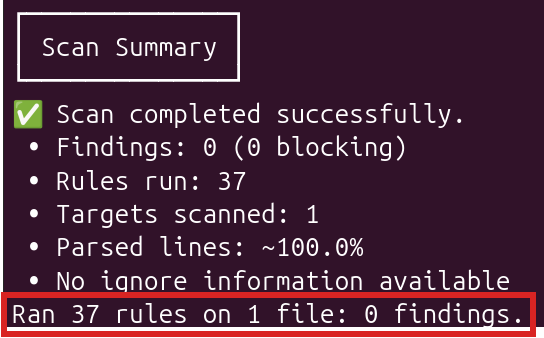
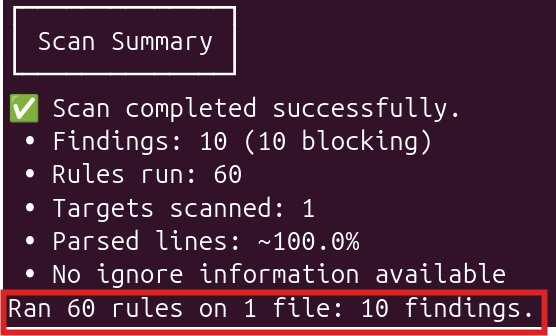
While the "secrets" rule set showed 0 findings, the "ai" rule set had 10 findings. However, six of the rules were for detecting "usage of AI", and the remaining rules detected missing parameters and error handling, not hardcoded secrets.
I also used TruffleHog to detect any secrets in the test file using the command trufflehog filesystem /path/to/file. The screenshot below shows that TruffleHog only detected the Github Personal Access Token.

Conclusion
This exercise gave me some practical experience with customising SAST rules - I identified a vulnerability that I wanted to detect, created a rule to detect that vulnerability, then validated that the rule to see if it actually detected what it was supposed to. After a few iterations, my custom rule was partially successful, but I still need to introduce additional patterns to improve detection.
It was also interesting to see that existing tools like TruffleHog and the existing Semgrep rule sets that I tried did not perfectly detect the issues in my test code either, highlighting that no single tool is perfect out-of-the-box. SAST is a useful tool for early detection of security vulnerabilities in code, but you need the right rules to reduce false positives while staying on top of the unique issues introduced by AI.
** References:
Comments
Join the discussionNo comments yet. Be the first to comment.
DevSecOps and AI
Exploring how DevSecOps practices are changing with the adoption of AI and AI-Generated code